What this lecture is discussing?
When we are building networks, we want to have an intuition what the neurons and filters are doing to make better decision on the architecture of the network
This lecture start by introducing several ways detecting what each filter has learned. Then, with this intuition of how each filter works, we can do it in the reverse way by creating images based on the features each filter learns
First Layer: Direct Filter Visualization
Strategy
We simply directly display the learned filter weights as images
Pros and Cons
This method works well for the first few layers. However, there will be much more channels in deeper layers, which makes the direct output less interpretable
For example, we can visualize weights with 3 channels simply by treating them as RGB. However, in deeper layers with lets say 13 channels, we don’t have a good way of interpreting them
Analytical / Synthetic Approaches
In this approach, we try to answer the question: “What does the network respond to this input?” by detecting and recording how neurons respond to input images
Last Layer: Feature Space Nearest Neighbor Analysis
D-DL4CV-Lec14a-Feature_Space_Nearest_Neighbor_Analysis
Last Layer Dimensionality Reduction
D-DL4CV-Lec14b-Dimensionality_Reduction
Visualizing Activations (Maximally Activating Patches)
including:
- Maximally activating patches
- Saliency
D-DL4CV-Lec14c-Visualizing_Activations
Intermediate Features via Guided Backpropagation
D-DL4CV-Lec14d-Intermediate_Features_via_Guided_Backpropagation
Generative / Synthetic Approaches
In this approach, we try to answer the question: “What would make the network respond this way” by creating images that matches network’s target
Gradient Ascent
D-DL4CV-Lec14e-Gradient_Ascent
Adversarial Example
We start with a normal image and add some specially computed noise. Although it looks the same for human, the model gives completely wrong prediction with high confidence
Feature Inversion
D-DL4CV-Lec14f-Feature_Inversion
Neural Artistic Synthesis
DeepDream: Amplify Existing Features
Texture Synthesis with Neural Networks
D-DL4CV-Lec14h-Neural_Texture_Synthesis
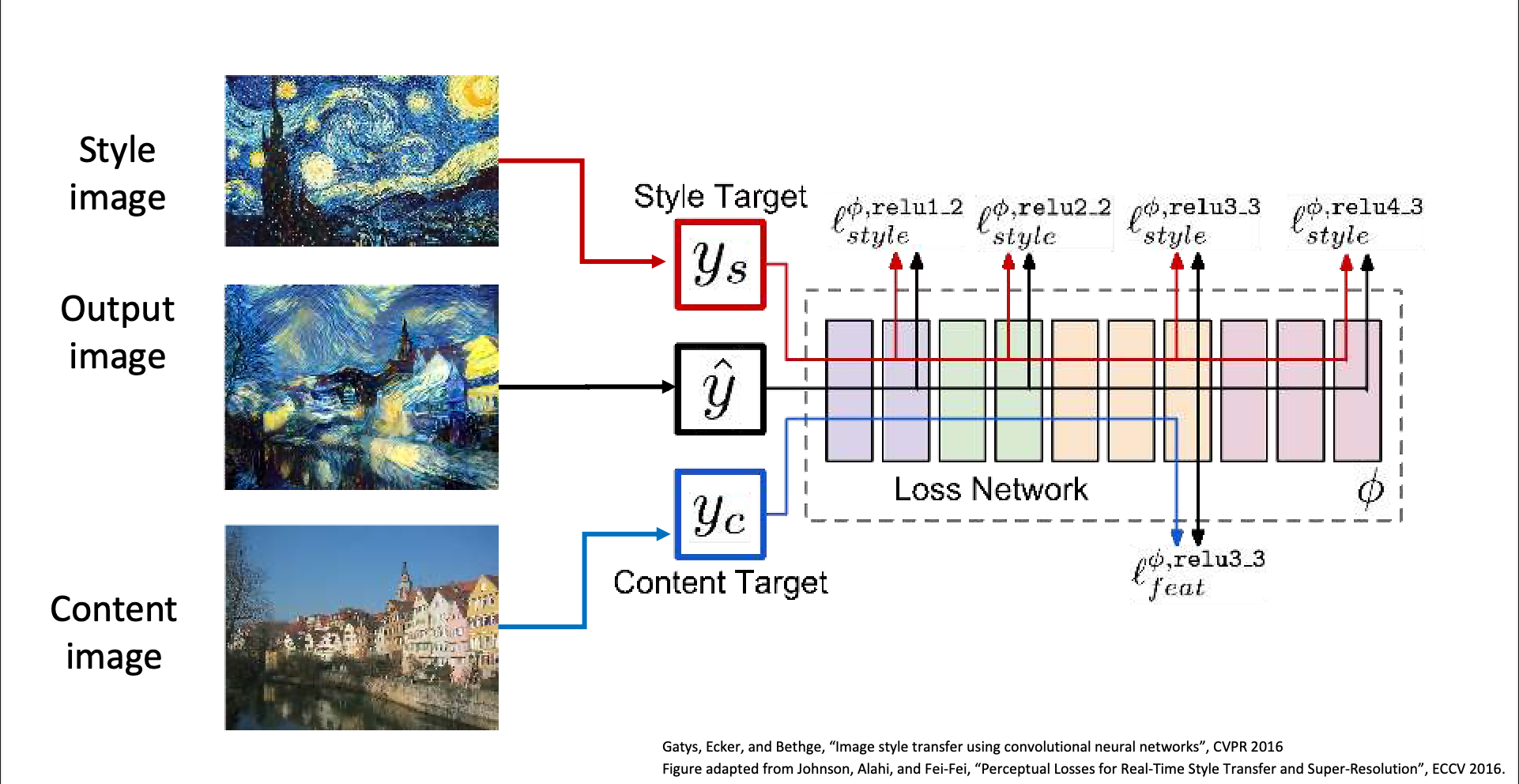
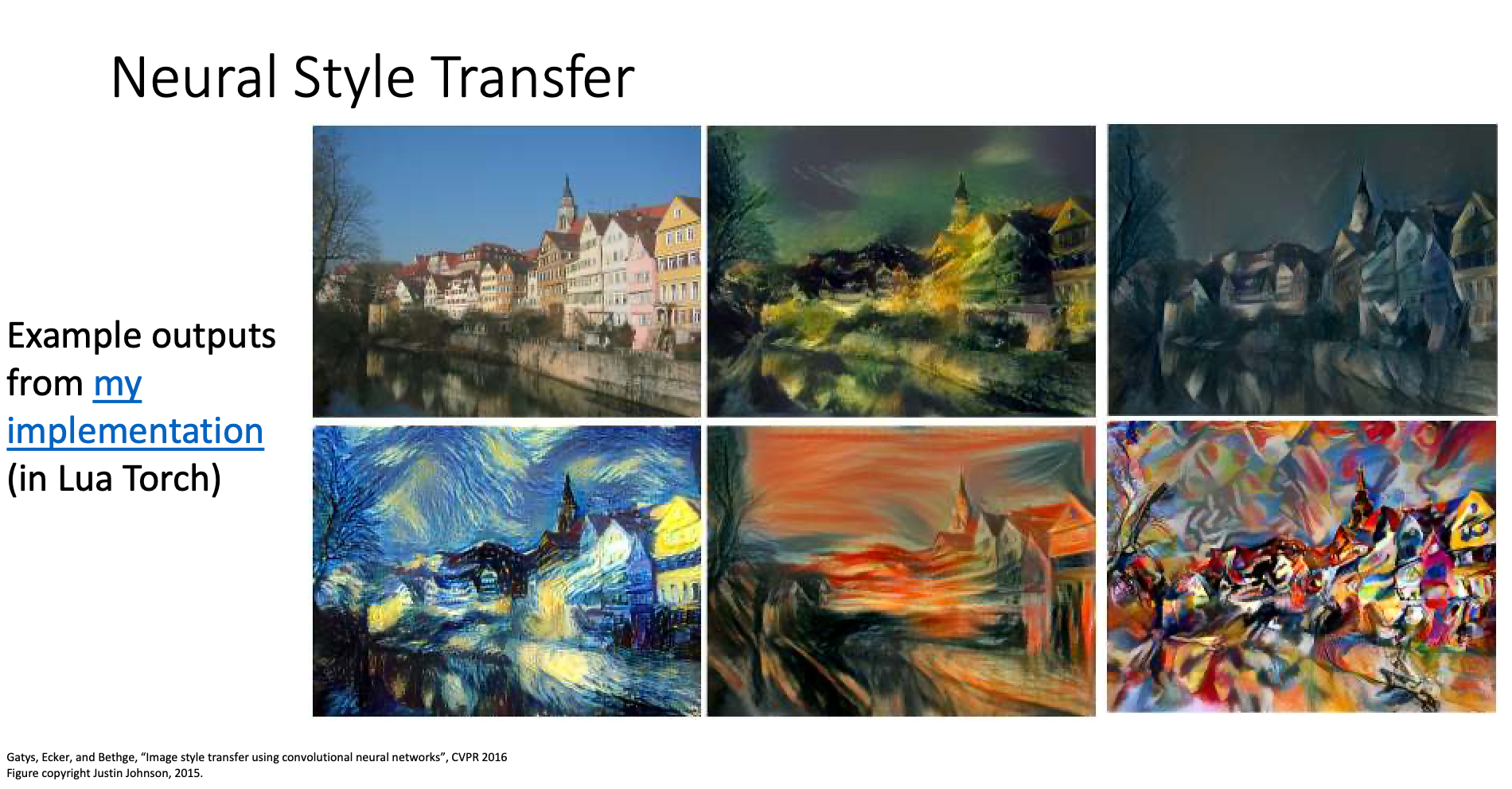
Neural Style Transfer
We input
- Content Image: The image we want to transfer
- Style Image: The style we want the content image transfer to
Then initialize the output image with random noise and pass them into the network. Hopefully, we’ll get an image that looks like the content image but has the style of the style image
Instance normalization was developed for style transfer
Replacing batch norm with instance norm can improve style transfer result