Introduction
This section introduce different ways of feature transform
Color Histogram
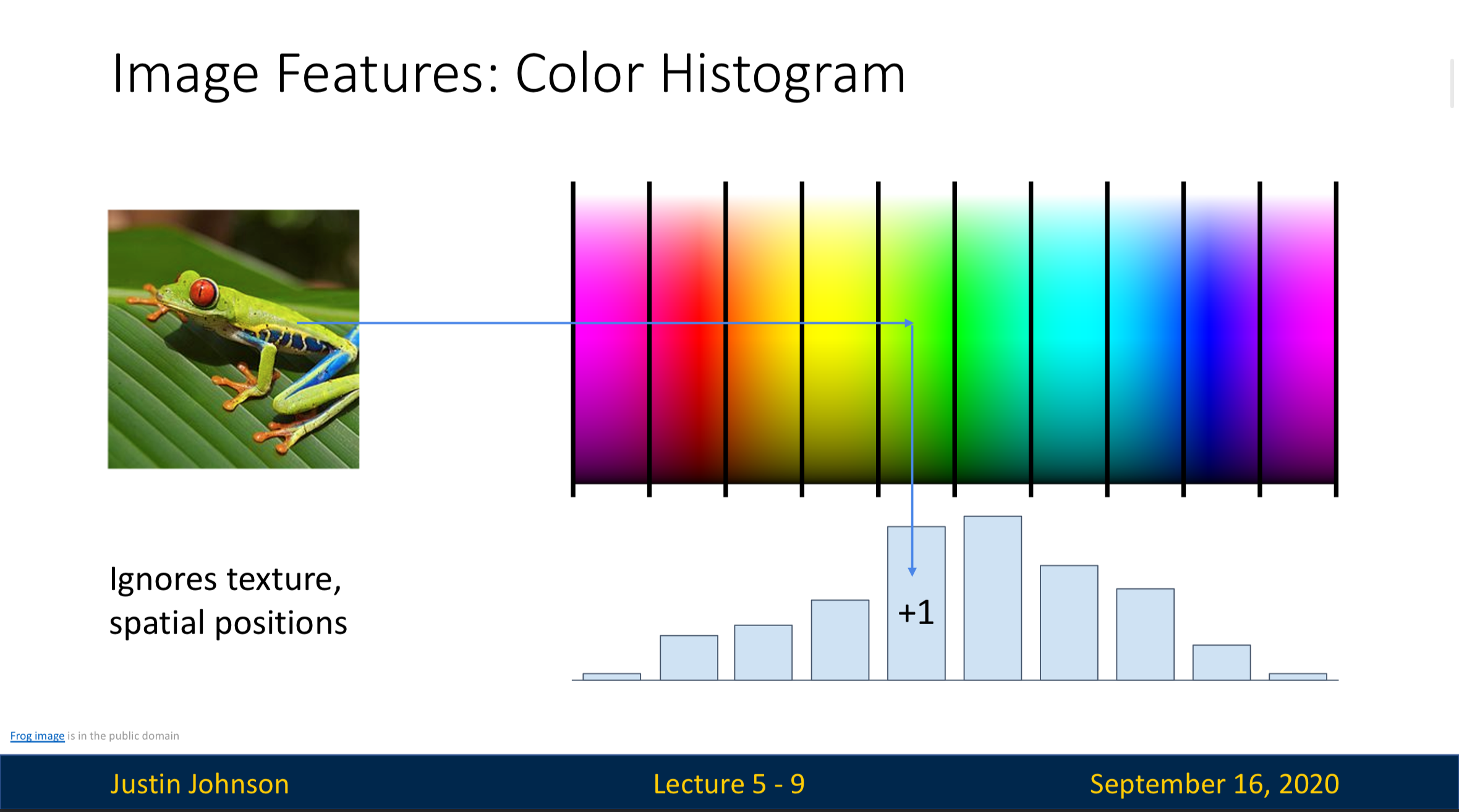 This method classify the pixels into several categories based on only their colors
However, it totally gets rid of the “texture” and “spacial positions” in the images
This method classify the pixels into several categories based on only their colors
However, it totally gets rid of the “texture” and “spacial positions” in the images
Histogram of Oriented Gradients (HoG)
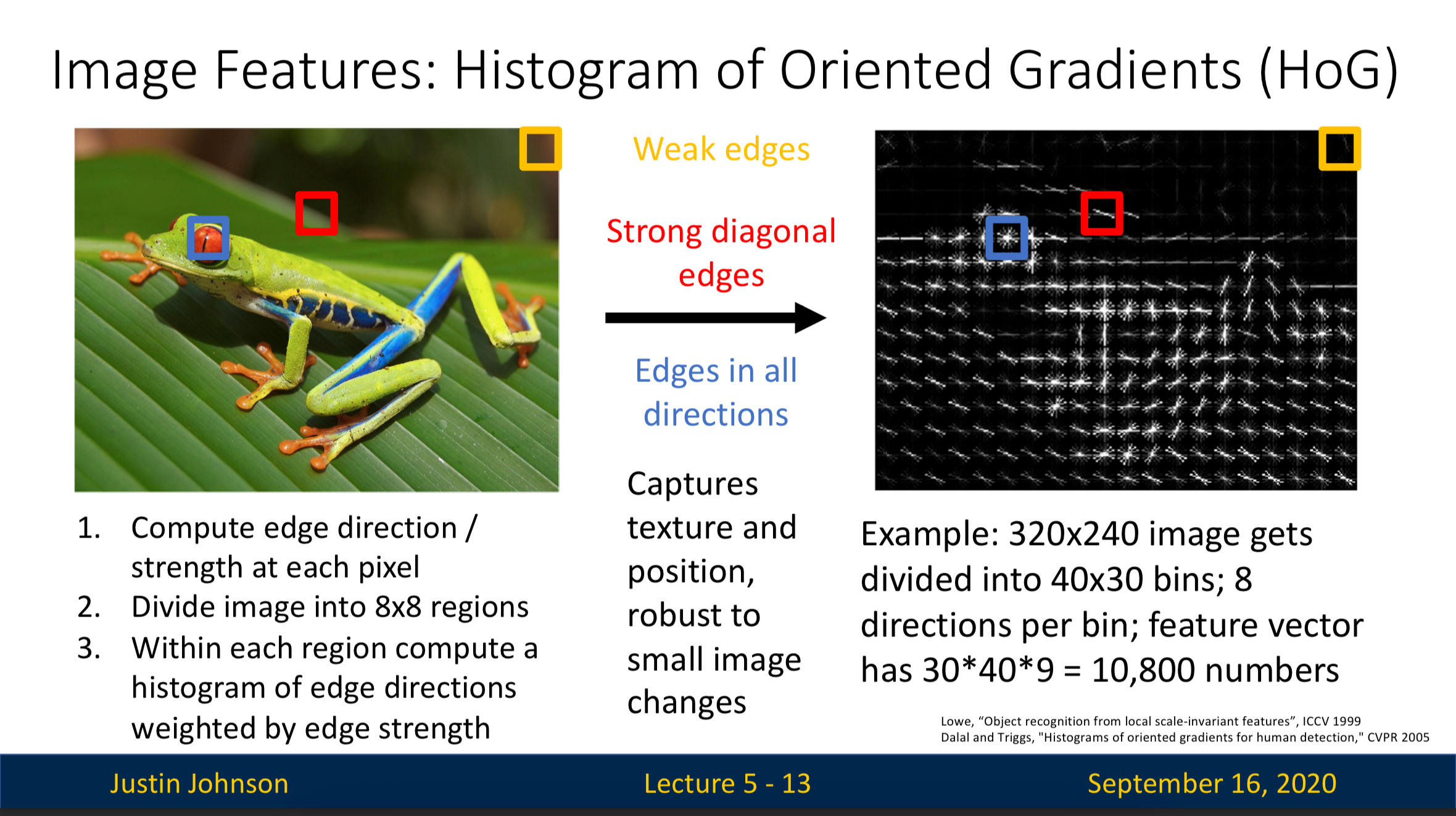
- For each pixel, we’ll compute the “edge direction strength”, which tells us the direction of the edge this pixel belongs to is pointing at. This is computed by comparing the adjacent matrix
- We divide the entire image to regions
- Within each region we compute a histogram of edge directions weighted by edge strength we get in Step 1
For example:
- Inside the blue square we can see “edge in all direction”, which corresponds to an eye (a circle)
- The red region, on the other hand, has clear “diagonal edges”
Bag of Words
Step 1: Build Codebook:
We’ll first randomly extract small patches from the image. Each patch captures a small local pattern like a corner, an edge, or a texture. We’ll use some cluster algorithm to group similar patterns together. Each group will be “word” in our “dictionary”, which we call a “codebook” here
For example, for a car image, the pattern can be a headlight, a wheel, etc
Step 2: Encode Image with Codebook:
Once we finish building the codebook, we can now describe a new image in terms of how many times each pattern in the codebook appear in it. We can now create a histogram based on this information then assign the image to one of the label
Combining Multiple Ways of Feature Extraction
In the section above, we’ve discussed multiple ways of extracting features, they may have some strengths and weaknesses. We can resolve this problem by combining multiple methods