What is Voxel Grid?
Voxel
Voxel stands for volume pixels, we treat objects in the space like pixels in the image
Pros & Cons
Pros:
- Conceptually simple: It’s just a 3D grid
Cons:
- Need high spatial resolution to capture fine structures (to represent smooth curve)
- Scaling to high resolutions is nontrivial because of memory explosion and computational cost
Processing Voxel Inputs
We expand the filters in Conv layer from 2D to 3D, then we can process voxel inputs with 3D CNN
Generating Voxel Shapes
By 3D Conv
Process the input 2D image with 2D CNN, then by flattening the features at the end of 2D CNN, we get a 1D feature vector
Then we use 1D feature vector as input of 3D CNN, and upsampling to get voxel grid output
Using only 2D CNN
Method
In this method we only use 2D CNN to process input 2D image and generate voxel grid as output.
The way we use is making the channels of the output of 2D CNN to be the -axis of voxel grid
Problem
We break the “translational invariance” in direction.
Since the filter will slide across the whole image. We’ll get the same classification output no matter we put the object in the upper right corner or the lower left corner. This observation is called the “translational invariance”
However, in 2D CNN, the filter will only slide across and direction. Hence, the “translational invariance” in direction doesn’t hold anymore
Scaling Voxels
Description
Scaling voxel grids to high resolution is memory-consuming, thus we need ways to express high resolution 3D objects but in smaller memory
Oct-Trees
After we get a dense 3D object, we start by cube which can cover the entire object, then repeat the following steps to each cube which hasn’t been marked:
- All voxels in the cube is empty: Mark as “empty”
- All voxels in the cube is filled: Mark as “filled”
- Mixed content: Split into 8 cubes and continue
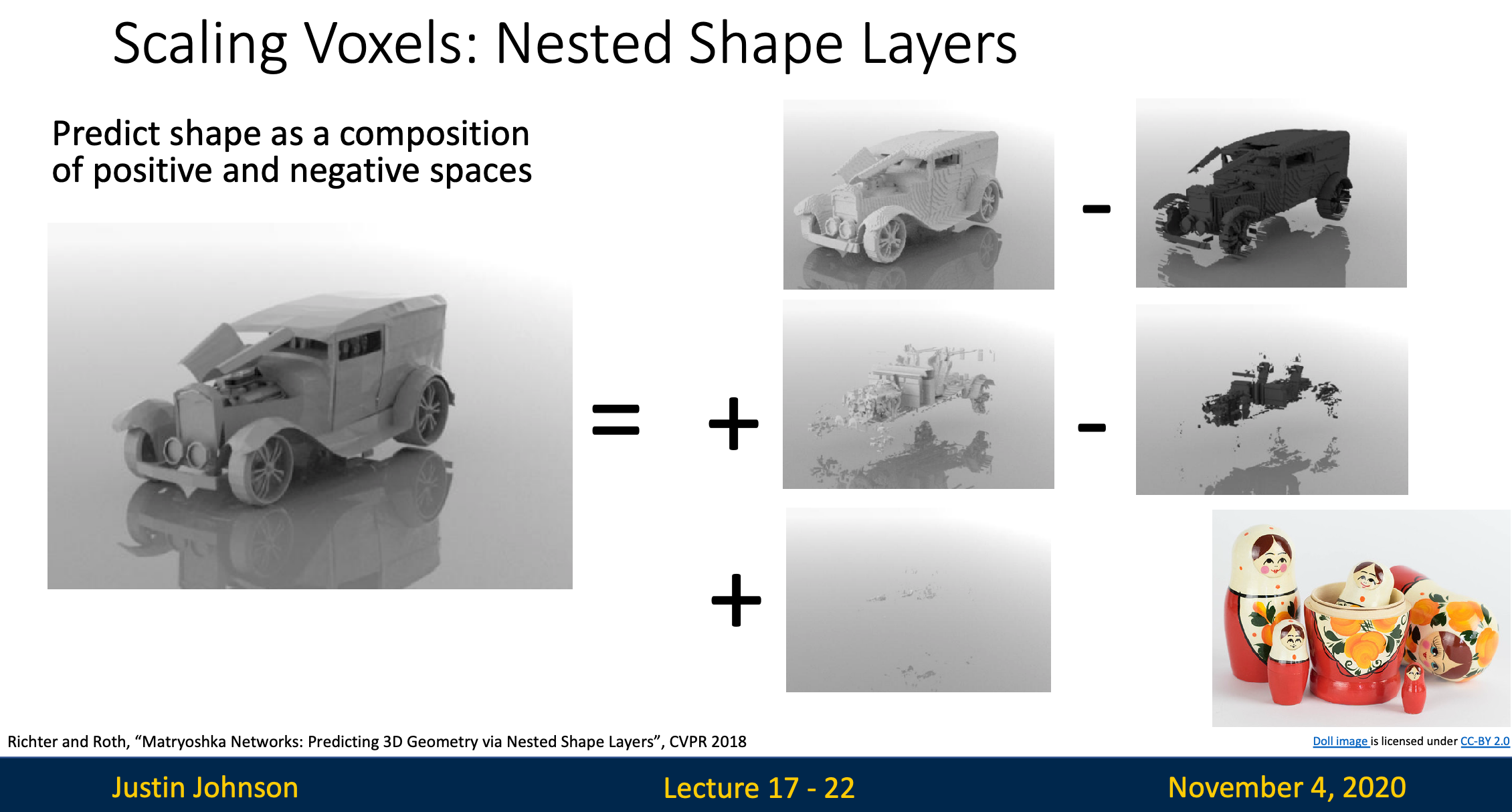
Nested Shape Layers
Step 1: Generate Multiple Layers
- Instead of outputting a single 3D object, we output several voxel layers
- Each layer represent either
- Positive space
- Negative space
Step 2: Combine Layers
We’ll combine the layers
- For positive layer, we add the voxels to the final 3D output object
- For negative layer, we removes voxels from the final 3D output objects then we result in a final output