What is Upsampling?
It is the reverse operation of downsampling. Instead of extracting features from larger input to smaller output, we expand the input to get larger output
In-Network Upsampling
Unpooling
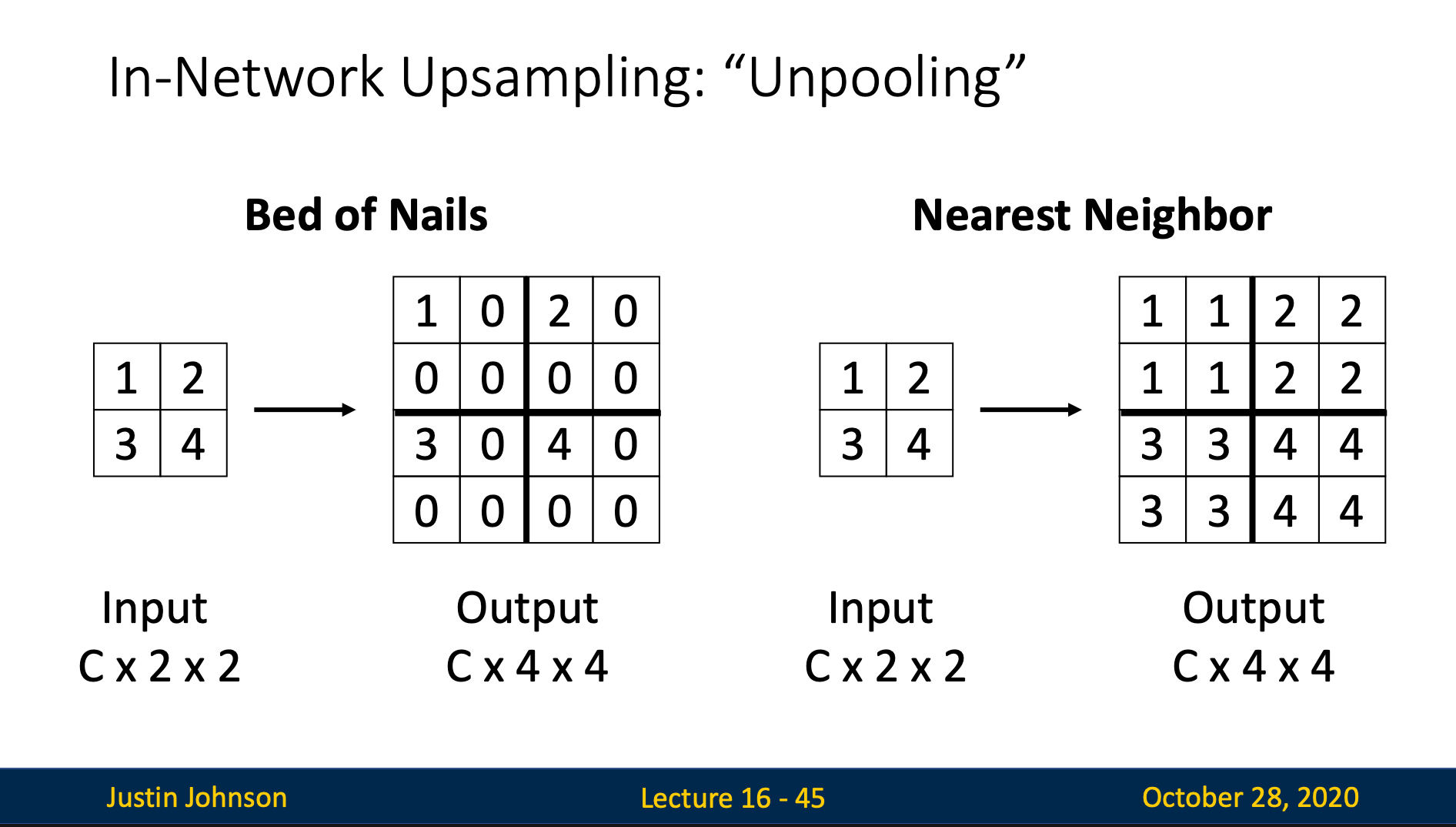
Bed of Nails
Expand each input pixel to a block: place original value in top-left, fill remaining positions with 0
Nearest Neighbor
Expand each input pixel to a block: duplicate original value to all positions
Bilinear Interpolation
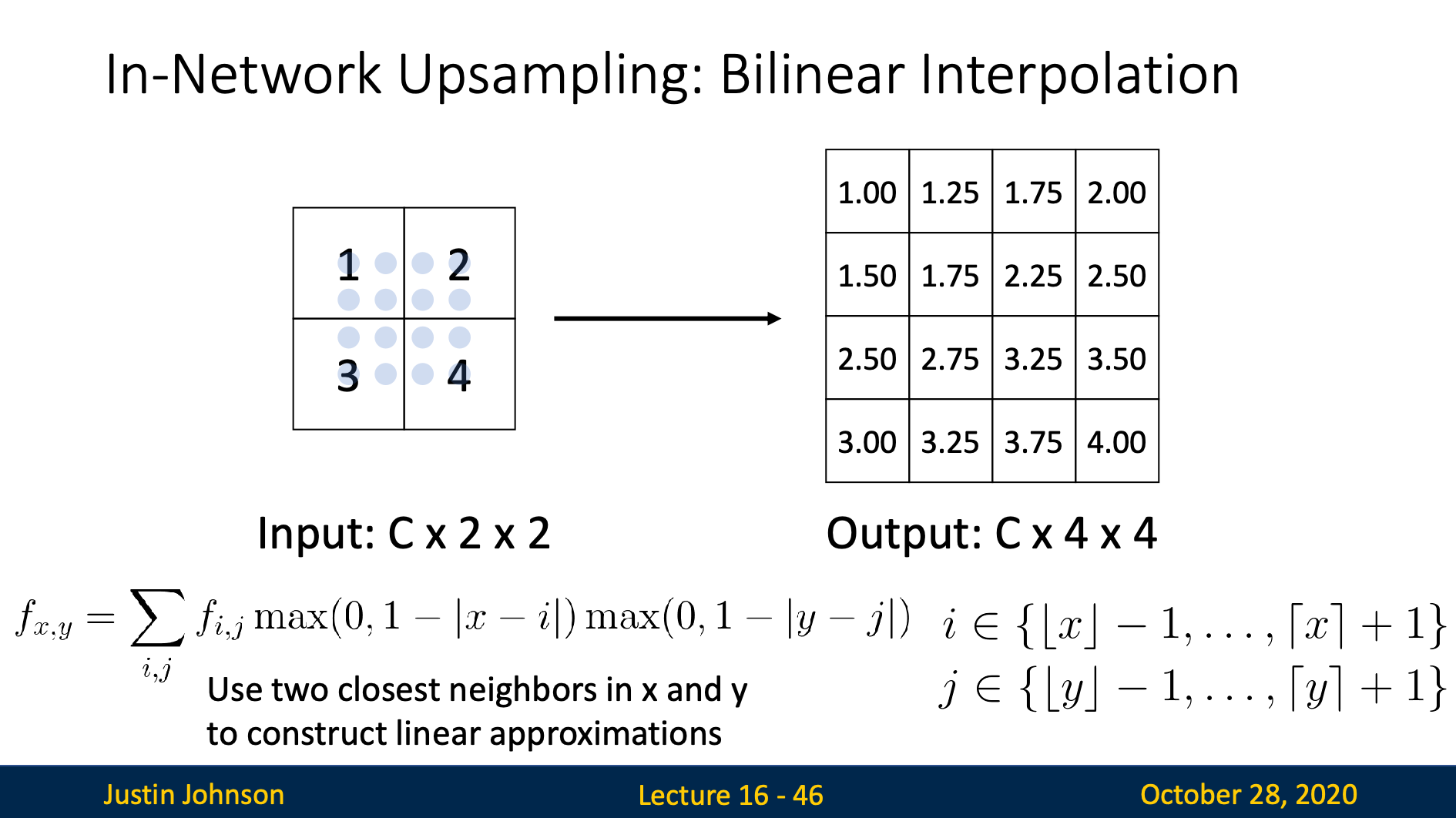
We use 4 nearest neighbor coordinates to fit a polynomial
Then we insert our output coordinates to get pixel values
Bicubic Interpolation
We use 16 nearest integer coordinates to fit in the polynomial:
then we insert our output coordinates to get pixel values
Max Unpooling
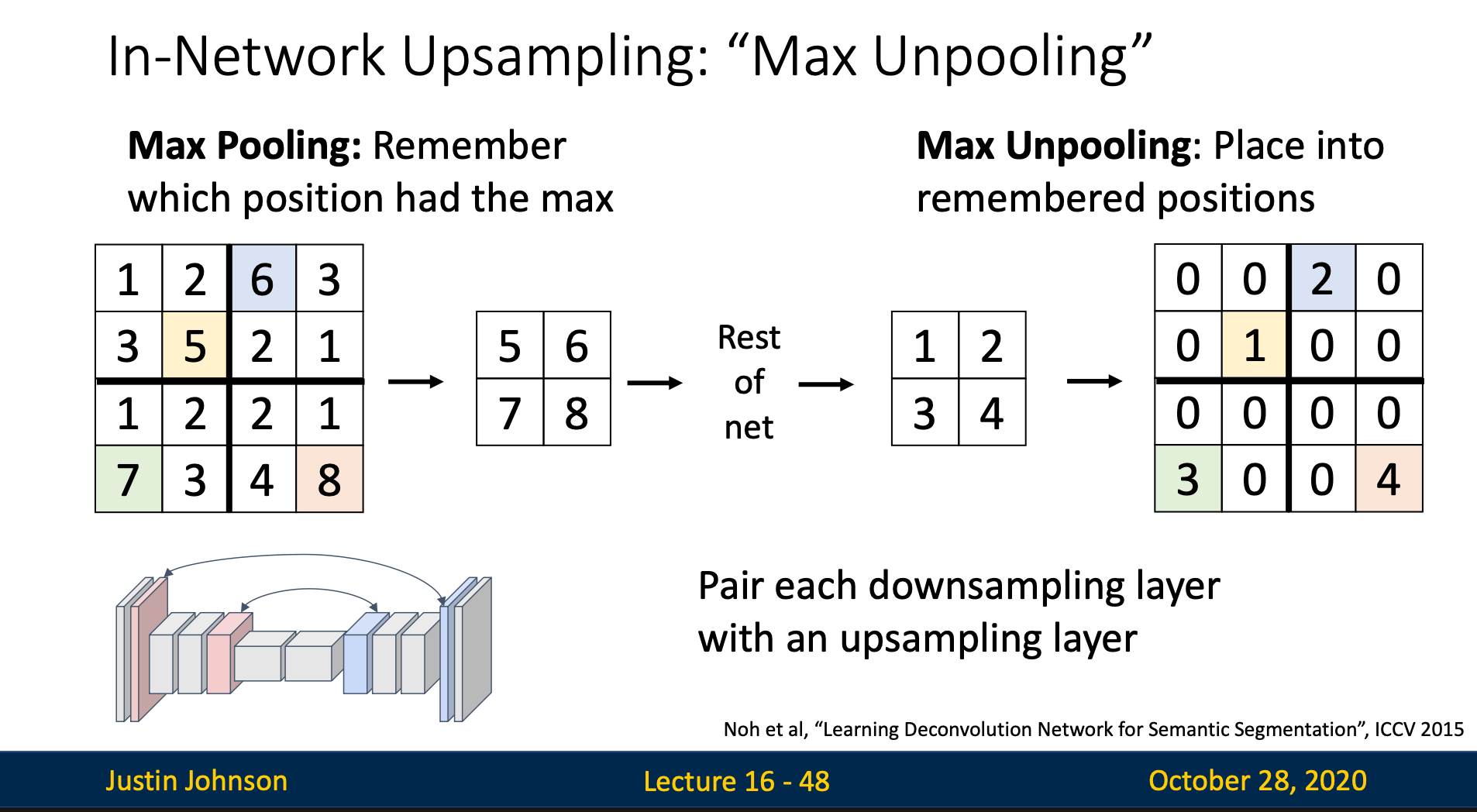
Each max unpooling layer pair with a max pooling layer. We first remember which positions had the max value. Then, when doing max unpooling, we place each value in the input into the remembered position, and fill other positions with zeros
Learnable Unsampling: Transposed Convolution
Introduction
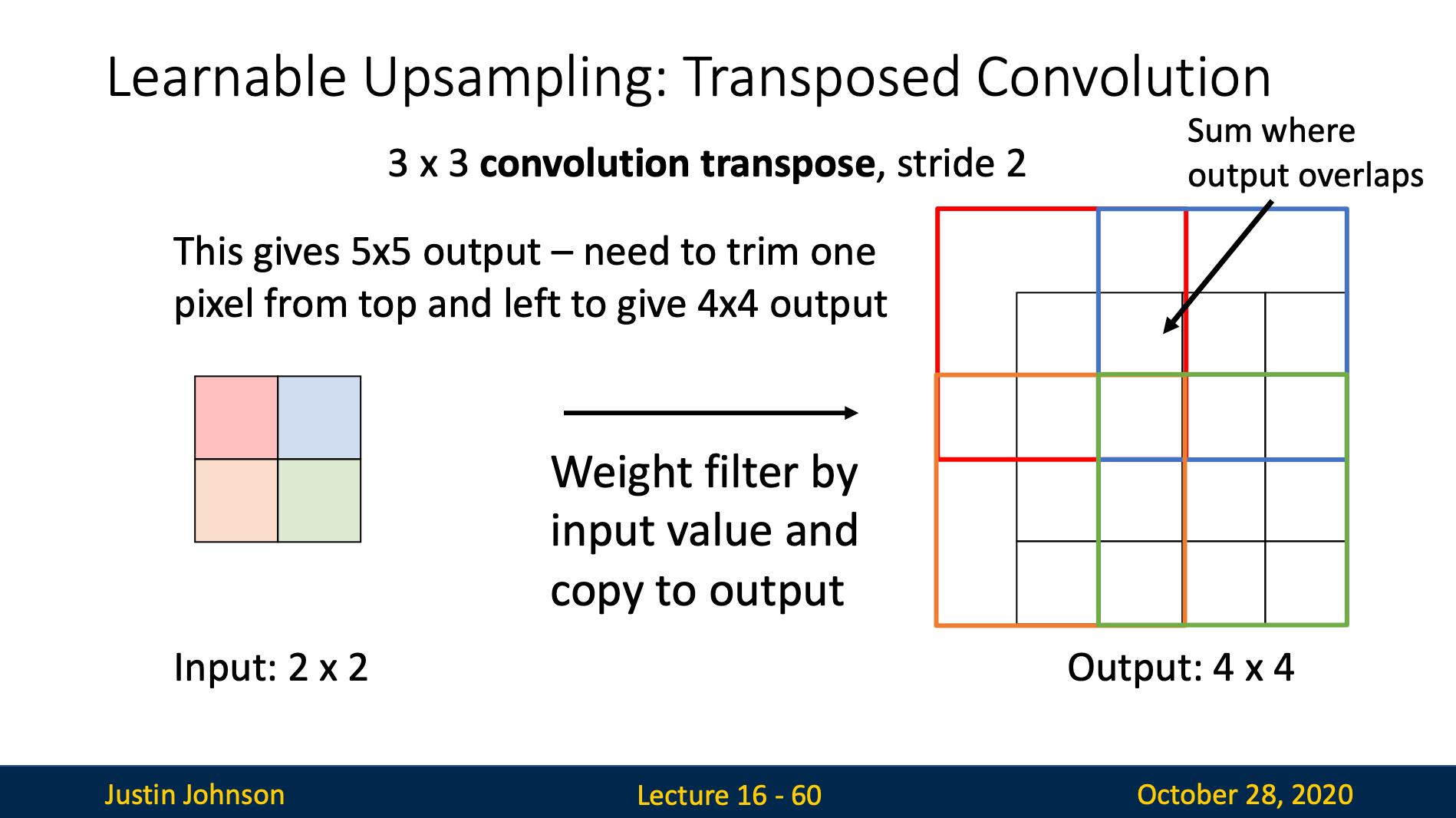
Transposed convolution is an operation that performs learnable unsampling by applying mathematical transpose of a convolution operation (filter).
Core Concept
- Input: Small feature map
- Output Larger feature map
- Difference from regular convolution: Expands rather than compresses spatial dimensions
How does it works
Input
[1, 2]
[3, 4]
Step 1: Expand with zeros
We make the rows and columns times where is the stride
(stride 2)
[1, 0, 2, 0]
[0, 0, 0, 0]
[3, 0, 4, 0]
[0, 0, 0, 0]
Step 2: Apply Convolution
We simply apply the filters like in convolution on the expanded matrix. Here we’ll create matrix by filter stride 1 padding 1
Stride in transposed convolution means how much times we want to upsample while in convolution it means how much do we want to downsample
Convolution as Matrix Multiplication
We can express convolution in terms of matrix multiplication
We can also express transposed Conv with stride 1 as normal Conv
However, with stride > 1, we can’t express transposed Conv as normal Conv